Install
Installing your R-50 bot has never been easier! All you need to do is run the installer and select where to install it into.
Duration: ⏱ 5 minutes
Difficulty: 🟢 Easy
You must be connected to your VPS and have MetaTrader5 terminal installed (inside the VPS).
Download the installer
Please download the MetaTrader 5 installer here R-50-setup_MT5.exe
Other downloads
Unpacked installer: R-50-setup_MT5-unpacked.zip
Run the installer
Simply copy the installer into your VPS and double click on the R-50_MT5-installer.exe file
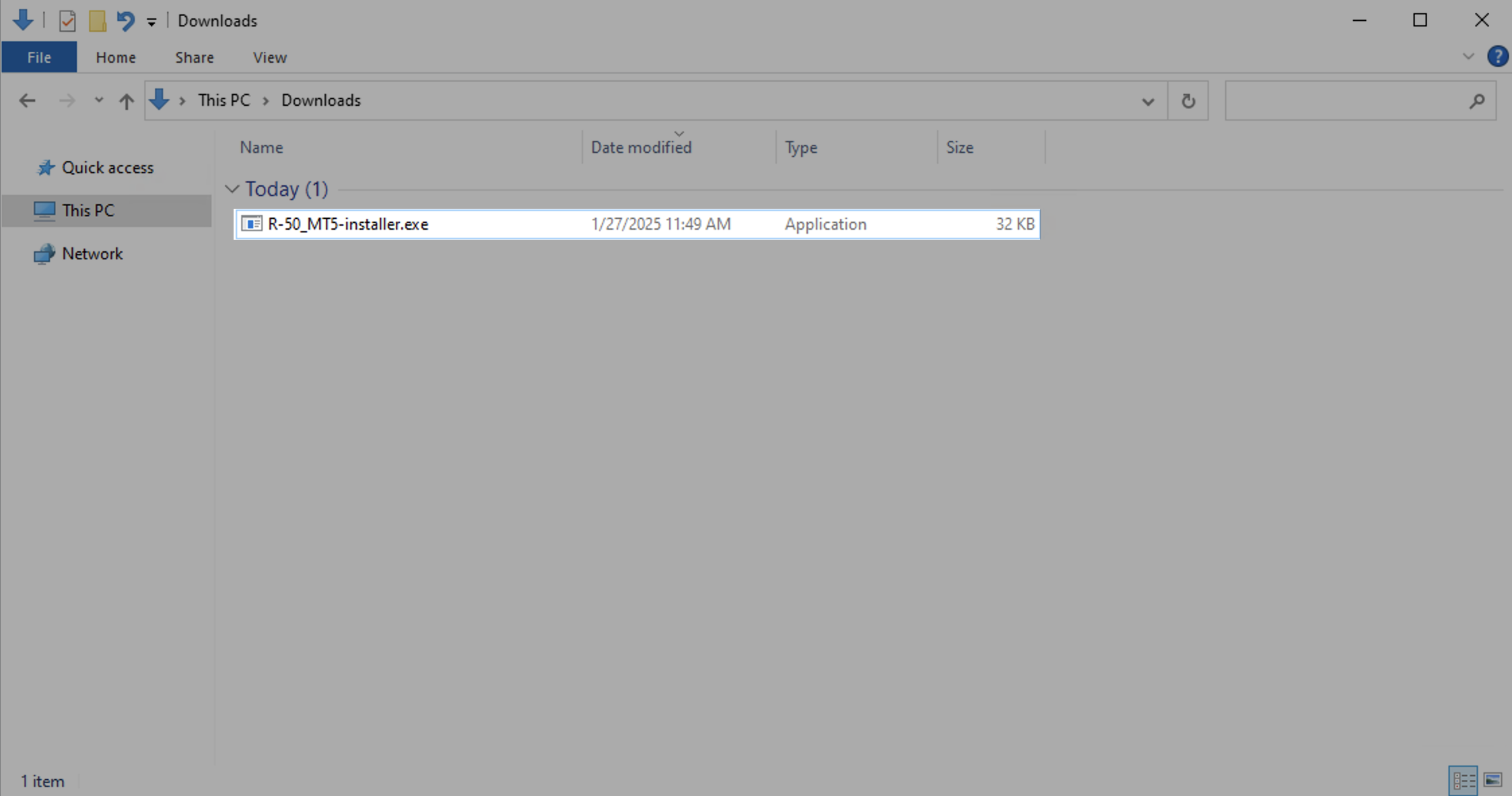
Select your MetaTrader 5 terminal
Once the installer has completed loading, the installer will ask which copy of MetaTrader 5 you want to use (In case you have multiple copies of MT5 installed on the same VPS).
The list will show any copies of MetaTrader 5 installed on the VPS. If there are no available copies of MetaTrader 5 listed, make sure you have properly installed MetaTrader 5.
Select the appropriate MetaTrader 5 copy by left clicking on the entry in the list.
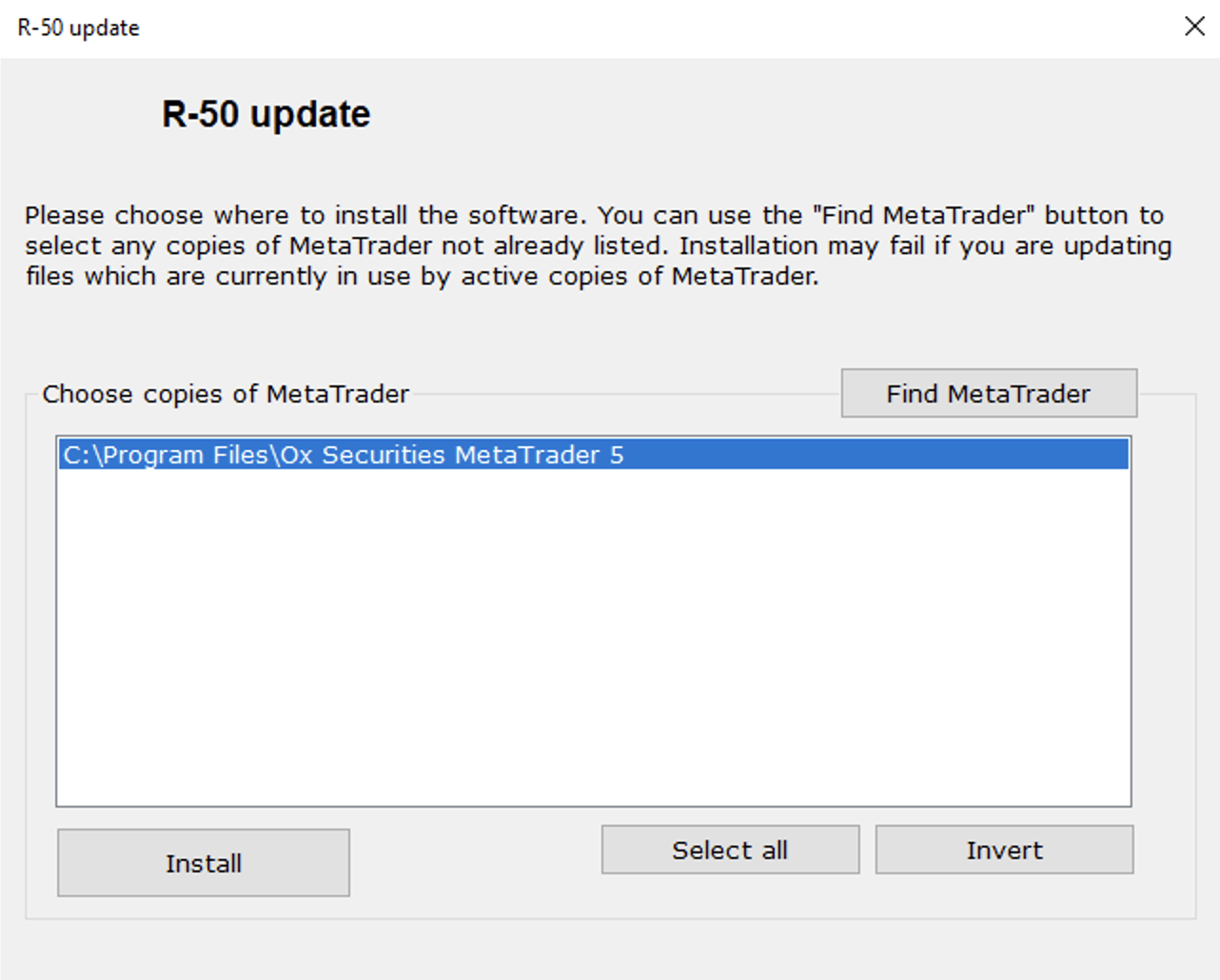
Once you have highlighted the correct terminal, click "Install" to begin the installation process.
Confirm DLL import
During the installation process, you will be notified about the "Allow DLL imports" setting. This will automatically enable the option for the MetaTrader 5 terminal.
Confirm this by clicking "OK".
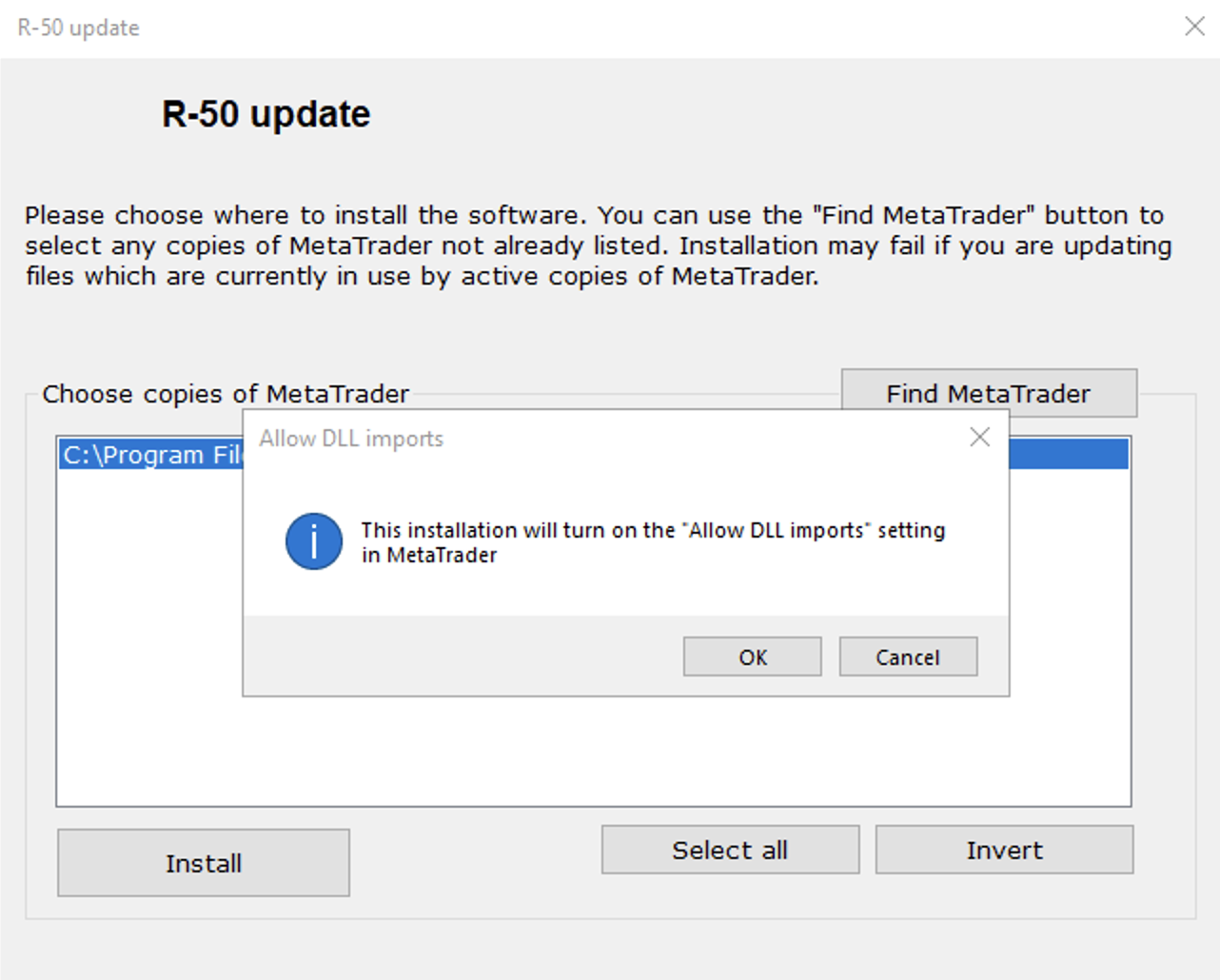
Installation success
Once the installer has finished, the following message will appear.
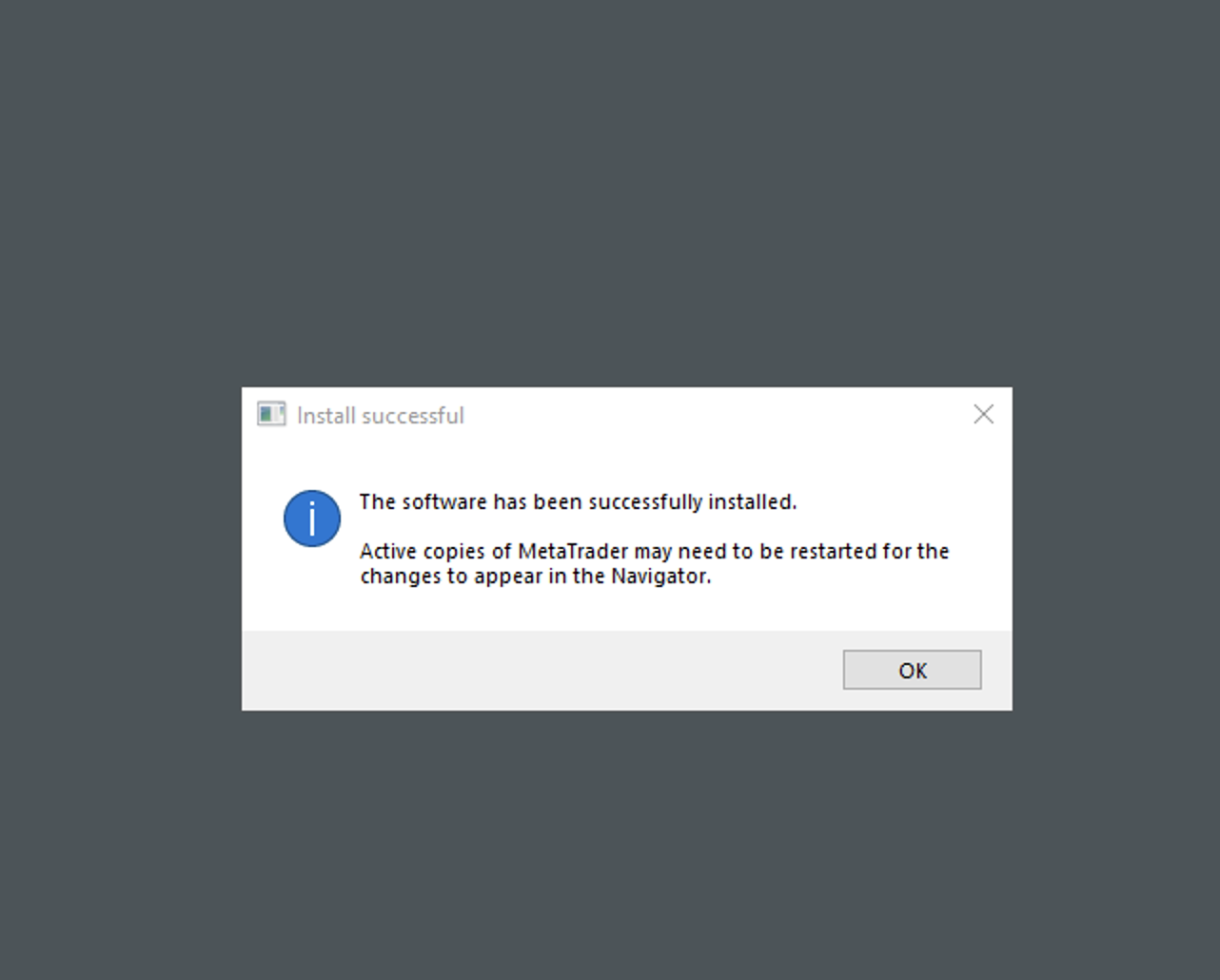
Congratulations, you have now successfully installed the R-50 bot!
Please continue to the next step: Preparing the charts